
Reports
Reports turn the workspace review into a client-ready Full Financial Review PDF. The export is built on demand from the selected client, selected period, synced QuickBooks evidence, KPI governance, anomaly signals, and optional AI narrative.

PDF is the only export format in alpha. CSV export for individual sections is outside the current alpha scope.
Create A Full Financial Review
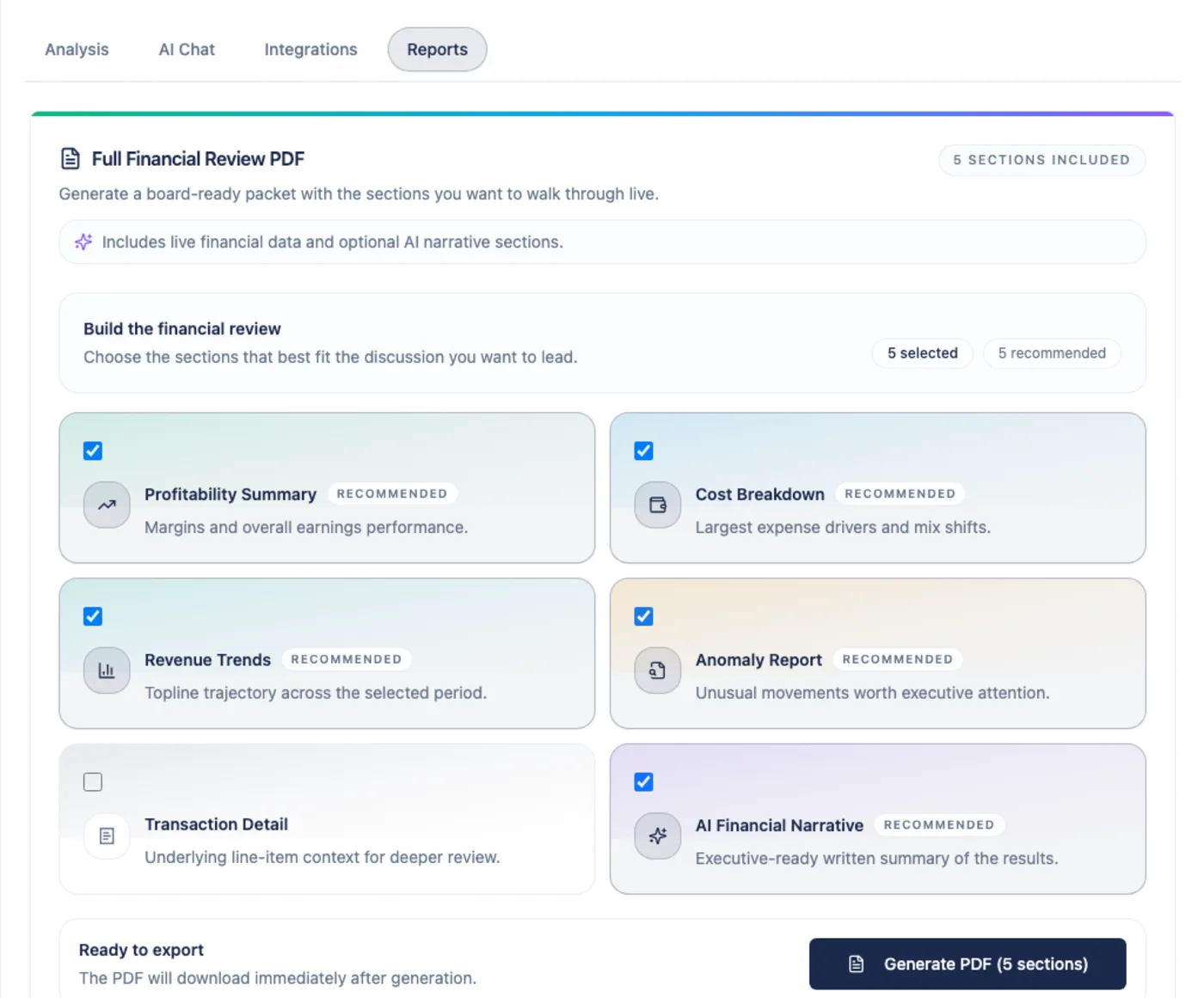
Section titled “Create A Full Financial Review”From a client workspace, open Reports, choose the sections to include, and generate the PDF.
Arboris streams a fresh PDF download and records report metadata for history and audit context. The product does not store a permanent PDF artifact for reuse; exports are generated fresh from the report request and available source data.
Report Sections
Section titled “Report Sections”The Full Financial Review supports six sections:
| Section | Included by default | What it contains |
|---|---|---|
| Profitability Summary | Yes | KPI cards and period-over-period context. |
| Cost Breakdown | Yes | Category-level expense analysis and charts. |
| Revenue Trends | Yes | Revenue over time using the selected grouping. |
| Anomaly Report | Yes | Flagged anomalies with severity, explanation, and suggested action. |
| Transaction Detail | No | A larger transaction table with available QuickBooks drilldown metadata. The exported PDF is a static table and is not sortable or filterable. |
| AI Financial Narrative | Yes | AI-generated advisory narrative with confidence tags and evidence citations. |
Transaction Detail is off by default because it can make the PDF much larger.
Branding And Layout
Section titled “Branding And Layout”Reports use the uploaded firm logo when one is available. If no logo is uploaded, Arboris uses the default Arboris Analytics mark.
Each PDF includes a cover page, selected sections, consistent page headers, and an Arboris footer. Charts are rendered into the PDF so the document can stand on its own outside the application.
AI Narrative In Reports
Section titled “AI Narrative In Reports”When selected, the AI section is labeled as an advisory AI-generated financial narrative. Claims keep the same High, Moderate, and Low confidence semantics used in AI Chat, and citations appear as report footnotes.
If Arboris does not have enough evidence for a claim, it should caveat or suppress the claim instead of inventing a number.
Report History
Section titled “Report History”The Reports tab shows past export metadata for the current client. This history helps you understand when a review was generated and which workflow produced it.
Download and regenerate actions on historical exports are not part of the current alpha contract. Generate a new PDF when you need a current copy.
Review Run Mode
Section titled “Review Run Mode”The guided Review Run workflow also uses Reports, but it adds readiness checks, an AI Review Brief, an editable Report Draft, and a final export step for a specific accounting period.
Use regular Reports for a direct export. Use Review Run when you want the full guided review flow from readiness to final “Reviewed for period” tracking.